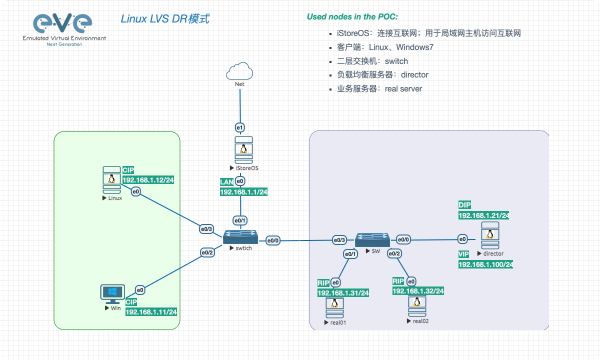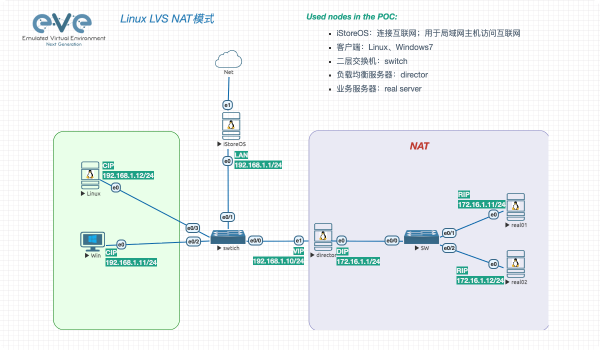

The Linux Virtual Server is a highly scalable and highly available server built on a cluster of real servers, with the load balancer running on the Linux operating system.
一、基础环境#
- 依赖包
apt update
apt install -y squashfs-tools gnupg xorriso rsync
二、封装镜像#
2.1 基础镜像#
| 发型版本 | 镜像 |
|---|---|
| Ubuntu | ubuntu-22.04.5-live-server-amd64.iso |
2.2 Ubuntu#
2.2.1 解压&复制#
- 创建目录
mkdir -p /opt/live
- 挂载镜像
mount -o loop ubuntu-22.04.5-live-server-amd64.iso /mnt
- 复制文件
rsync -av /mnt/ /opt/live/
umount /mnt
2.2.2 系统定制#
*.squashfs 文件是 Ubuntu Server 安装介质中的只读根文件系统镜像。squashfs 是一种压缩只读文件系统,用来减少 ISO 体积并在安装时按需解压到目标系统。
| 文件名 | 描述 |
|---|---|
| ubuntu-server-minimal.squashfs | 基础的 Ubuntu Server rootfs 镜像 |
| ubuntu-server-minimal.ubuntu-server.squashfs | 标准 Ubuntu Server 基础系统镜像 |
| ubuntu-server-minimal.ubuntu-server.installer.squashfs | Ubuntu 安装程序环境 |
| ubuntu-server-minimal.ubuntu-server.installer.generic.squashfs | Generic Kernel 的安装环境 |
| ubuntu-server-minimal.ubuntu-server.installer.generic-hwe.squashfs | HWE (Hardware Enablement) kernel 的安装环境 |
- 解压 squashfs
cd /opt/live/casper/
root@debian:/opt/live/casper# unsquashfs ubuntu-server-minimal.squashfs
Parallel unsquashfs: Using 32 processors
18582 inodes (19619 blocks) to write

[==================================================================================================================================================================================|] 38201/38201 100%

created 16803 files
created 2753 directories
created 1652 symlinks
created 8 devices
created 0 fifos
created 0 sockets
created 119 hardlinks
- 挂载文件系统
mount -t proc proc squashfs-root/proc
mount -t sysfs sys squashfs-root/sys
mount -o bind /dev squashfs-root/dev
mount -t devpts devpts squashfs-root/dev/pts
mount -o bind /run squashfs-root/run
- resolv.conf
- 提供 resolv.conf 文件,为 chroot 环境提供DNS解析能力
rm -rf squashfs-root/etc/resolv.conf
cp /etc/resolv.conf squashfs-root/etc/resolv.conf
- chroot
- 执行 chroot 之前,您也可以手动拷贝文件至 squashfs-root 目录下,然后再执行 chroot
- chroot 环境中最具欺骗性的地方:uname -r 显示的是宿主机的内核版本,而不是 chroot 镜像内部的内核。
chroot squashfs-root

# 测试
apt-get update
- 自定义
# 方式一:安装.deb;chroot之前拷贝文件
dpkg -i .deb

# 方式二:apt install;提供DNS、repo访问能力
apt install htop
- 示例
安装 Mellanox 网卡驱动;Mellanox 驱动依赖一些基础包。
# 安装内核
apt install linux-image-5.15.0-119-generic linux-headers-5.15.0-119-generic linux-modules-5.15.0-119-generic

# 锁定内核;防止安装驱动时获取最新内核
apt-mark hold linux-image-5.15.0-119-generic linux-headers-5.15.0-119-generic linux-image-generic linux-headers-generic
apt-mark showhold

# 安装驱动

# 更新
update-initramfs -u -k all
- 清理环境
- 清理缓存:减少镜像体积
apt-get clean

rm -rf /tmp/*
rm -rf /var/log/*
rm -rf .bash_history
- 退出chroot
# 卸载
umount /run /dev/pts /dev /sys /proc

# 退出
exit
2.2.3 squashfs 封装#
- 删除 squashfs
rm -rf ubuntu-server-minimal.squashfs
- 打包
mksquashfs squashfs-root/ ubuntu-server-minimal.squashfs -comp gzip -processors $(nproc)
2.2.4 签名更新#
- 密钥生成
- Real name: MairsJie
- Email address: it@artoio.com
- 密码:手动输入2次
root@debian:/opt/live/casper# gpg --gen-key
gpg (GnuPG) 2.4.7; Copyright (C) 2024 g10 Code GmbH
This is free software: you are free to change and redistribute it.
There is NO WARRANTY, to the extent permitted by law.

gpg: directory '/root/.gnupg' created
gpg: keybox '/root/.gnupg/pubring.kbx' created
Note: Use "gpg --full-generate-key" for a full featured key generation dialog.

GnuPG needs to construct a user ID to identify your key.

Real name: MairsJie
Email address: it@artoio.com
You selected this USER-ID:
    "MairsJie <it@artoio.com>"

Change (N)ame, (E)mail, or (O)kay/(Q)uit? o
We need to generate a lot of random bytes. It is a good idea to perform
some other action (type on the keyboard, move the mouse, utilize the
disks) during the prime generation; this gives the random number
generator a better chance to gain enough entropy.
We need to generate a lot of random bytes. It is a good idea to perform
some other action (type on the keyboard, move the mouse, utilize the
disks) during the prime generation; this gives the random number
generator a better chance to gain enough entropy.
gpg: /root/.gnupg/trustdb.gpg: trustdb created
gpg: directory '/root/.gnupg/openpgp-revocs.d' created
gpg: revocation certificate stored as '/root/.gnupg/openpgp-revocs.d/6ED0C999E3402D77EC68318976A0AE3B11B098DD.rev'
public and secret key created and signed.

pub   ed25519 2026-03-12 [SC] [expires: 2029-03-11]
      6ED0C999E3402D77EC68318976A0AE3B11B098DD
uid                      MairsJie <it@artoio.com>
sub   cv25519 2026-03-12 [E] [expires: 2029-03-11]
- 文件签名
gpg --armor --detach-sign -o ubuntu-server-minimal.squashfs.gpg ubuntu-server-minimal.squashfs
2.2.5 清单更新#
- 软件包清单
chroot squashfs-root/ dpkg-query -W > ubuntu-server-minimal.manifest
- 大小更新
printf "$(du -sx --block-size=1 squashfs-root | cut -f1)\n" > ubuntu-server-minimal.size
- 清理 squashfs-root
rm -rf squashfs-root
2.2.6 镜像封装#
镜像打包 xorriso 参数很重要,问题出现的大部分情况都是参数不正常。如需了解,请先查看下一部分。
- 目录切换 live
cd /opt/live
- 镜像打包
xorriso -as mkisofs \
  -r -V 'Ubuntu-Server 22.04.5 LTS amd64' \
  -o /root/ubuntu-22.04.5-live-server-oem-amd64.iso \
  --grub2-mbr --interval:local_fs:0s-15s:zero_mbrpt,zero_gpt:'/root/ubuntu-22.04.5-live-server-amd64.iso' \
  --protective-msdos-label \
  -partition_cyl_align off \
  -partition_offset 16 \
  --mbr-force-bootable \
  -append_partition 2 28732ac11ff8d211ba4b00a0c93ec93b --interval:local_fs:4162948d-4173019d::'/root/ubuntu-22.04.5-live-server-amd64.iso' \
  -appended_part_as_gpt \
  -iso_mbr_part_type a2a0d0ebe5b9334487c068b6b72699c7 \
  -c boot.catalog \
  -b boot/grub/i386-pc/eltorito.img \
  -no-emul-boot -boot-load-size 4 -boot-info-table \
  --grub2-boot-info \
  -eltorito-alt-boot \
  -e '--interval:appended_partition_2:all::' \
  -no-emul-boot \
  -boot-load-size 10072 \
  -J -joliet-long \
  /opt/live
镜像分析#
- 首先,最权威的方式应该使用官方镜像构建参数,如何查看官方镜像的构建参数?
root@ubuntu:~# xorriso -indev ubuntu-22.04.5-live-server-amd64.iso -report_el_torito as_mkisofs
xorriso 1.5.4 : RockRidge filesystem manipulator, libburnia project.

xorriso : NOTE : Loading ISO image tree from LBA 0
xorriso : UPDATE :     842 nodes read in 1 seconds
libisofs: NOTE : Found hidden El-Torito image for EFI.
libisofs: NOTE : EFI image start and size: 1040737 * 2048 , 10072 * 512
xorriso : NOTE : Detected El-Torito boot information which currently is set to be discarded
Drive current: -indev 'ubuntu-22.04.5-live-server-amd64.iso'
Media current: stdio file, overwriteable
Media status : is written , is appendable
Boot record  : El Torito , MBR protective-msdos-label grub2-mbr cyl-align-off GPT
Media summary: 1 session, 1043421 data blocks, 2038m data, 78.6g free
Volume id    : 'Ubuntu-Server 22.04.5 LTS amd64'
-V 'Ubuntu-Server 22.04.5 LTS amd64'
--modification-date='2024091118464800'
--grub2-mbr --interval:local_fs:0s-15s:zero_mbrpt,zero_gpt:'ubuntu-22.04.5-live-server-amd64.iso'
--protective-msdos-label
-partition_cyl_align off
-partition_offset 16
--mbr-force-bootable
-append_partition 2 28732ac11ff8d211ba4b00a0c93ec93b --interval:local_fs:4162948d-4173019d::'ubuntu-22.04.5-live-server-amd64.iso'
-appended_part_as_gpt
-iso_mbr_part_type a2a0d0ebe5b9334487c068b6b72699c7
-c '/boot.catalog'
-b '/boot/grub/i386-pc/eltorito.img'
-no-emul-boot
-boot-load-size 4
-boot-info-table
--grub2-boot-info
-eltorito-alt-boot
-e '--interval:appended_partition_2_start_1040737s_size_10072d:all::'
-no-emul-boot
-boot-load-size 10072
- 如何查看镜像分区信息?
我们自定义镜像后,建议对比下镜像分区,保持与官方镜像一致。分区偏移不必一致!
root@debian:~# fdisk -l ubuntu-22.04.5-live-server-amd64.iso
Disk ubuntu-22.04.5-live-server-amd64.iso: 1.99 GiB, 2136926208 bytes, 4173684 sectors
Units: sectors of 1 * 512 = 512 bytes
Sector size (logical/physical): 512 bytes / 512 bytes
I/O size (minimum/optimal): 512 bytes / 512 bytes
Disklabel type: gpt
Disk identifier: 75F08222-06FB-43FE-ADED-9A7D9EAF8502

Device                                  Start     End Sectors  Size Type
ubuntu-22.04.5-live-server-amd64.iso1      64 4162947 4162884    2G Microsoft basic data
ubuntu-22.04.5-live-server-amd64.iso2 4162948 4173019   10072  4.9M EFI System
ubuntu-22.04.5-live-server-amd64.iso3 4173020 4173619     600  300K Microsoft basic data
mbr&efi#
mbr#
GRUB2 的 MBR(主引导记录)代码写入输出 ISO 的开头。使得镜像可以在老旧的 Legacy BIOS 模式下从磁盘启动。如何手动创建 mbr.bin?之后我们会讲解直接使用官方镜像,无需手动创建!
dd if=ubuntu-22.04.5-live-server-amd64.iso bs=1 count=32768 of=/tmp/mbr.bin
efi#
EFI 系统分区 (ESP) 的全局唯一标识符(GUID/类型码)。它告诉主板:这个分区里存放着 UEFI 引导文件。如何手动创建 efi.img ?之后我们会讲解直接使用官方镜像,无需手动创建!
以下参数从从官方镜像中获取。fdisk -l ubuntu-22.04.5-live-server-amd64.iso
- skip=4162948:引导扇区偏移
- count=10072:引导扇区大小
dd if=ubuntu-22.04.5-live-server-amd64.iso bs=512 skip=4162948 count=10072 of=/tmp/efi.img
- 引导扇区
dd if=ubuntu-22.04.5-live-server-amd64.iso bs=1 count=32768 of=/tmp/mbr.bin
- efi
- skip: 来自 -append_partition 2 28732ac11ff8d211ba4b00a0c93ec93b –interval:local_fs:4162948d-4173019d::‘ubuntu-22.04.5-live-server-amd64.iso’
dd if=ubuntu-22.04.5-live-server-amd64.iso bs=512 skip=4162948 count=10072 of=/tmp/efi.img
构建方式#
方式一#
使用手动创建的引导扇区和 EFI 引导文件!
- 构建镜像
xorriso -as mkisofs \
  -r -V 'Ubuntu-Server 22.04.5 LTS amd64' \
  -o /root/ubuntu-22.04.5-live-server-oem-amd64.iso \
  --grub2-mbr /tmp/mbr.bin \
  --protective-msdos-label \
  -partition_cyl_align off \
  -partition_offset 16 \
  --mbr-force-bootable \
  -append_partition 2 0xef /tmp/efi.img \
  -appended_part_as_gpt \
  -iso_mbr_part_type a2a0d0ebe5b9334487c068b6b72699c7 \
  -c boot.catalog \
  -b boot/grub/i386-pc/eltorito.img \
  -no-emul-boot -boot-load-size 4 -boot-info-table \
  --grub2-boot-info \
  -eltorito-alt-boot \
  -e '--interval:appended_partition_2:all::' \
  -no-emul-boot \
  -boot-load-size 10072 \
  -J -joliet-long \
  /opt/live
方式二#
使用官方镜像自动创建引导扇区和 EFI 引导文件!
- 构建镜像
xorriso -as mkisofs \
  -r -V 'Ubuntu-Server 22.04.5 LTS amd64' \
  -o /root/ubuntu-22.04.5-live-server-oem-amd64.iso \
  --grub2-mbr --interval:local_fs:0s-15s:zero_mbrpt,zero_gpt:'/root/ubuntu-22.04.5-live-server-amd64.iso' \
  --protective-msdos-label \
  -partition_cyl_align off \
  -partition_offset 16 \
  --mbr-force-bootable \
  -append_partition 2 28732ac11ff8d211ba4b00a0c93ec93b --interval:local_fs:4162948d-4173019d::'/root/ubuntu-22.04.5-live-server-amd64.iso' \
  -appended_part_as_gpt \
  -iso_mbr_part_type a2a0d0ebe5b9334487c068b6b72699c7 \
  -c boot.catalog \
  -b boot/grub/i386-pc/eltorito.img \
  -no-emul-boot -boot-load-size 4 -boot-info-table \
  --grub2-boot-info \
  -eltorito-alt-boot \
  -e '--interval:appended_partition_2:all::' \
  -no-emul-boot \
  -boot-load-size 10072 \
  -J -joliet-long \
  /opt/live
验证#
- 镜像信息
- 对比源镜像信息相关参数是否一致
root@ubuntu:~# xorriso -indev ubuntu-22.04.5-live-server-oem-amd64.iso -report_el_torito as_mkisofs
- 分区验证
- Sector size (logical/physical): 512 bytes / 512 bytes
- I/O size (minimum/optimal): 512 bytes / 512 bytes
fdisk -l ubuntu-22.04.5-live-server-oem-amd64.iso
知识拓展#
分区详解#
Device                                      Start     End Sectors  Size Type
ubuntu-22.04.5-live-server-oem-amd64.iso1      64 6345803 6345740    3G Microsoft basic data
这是 ISO 的 主要文件系统(包含 Ubuntu 系统文件和 Live Server 安装文件)。
类型标识为 Microsoft basic data,这里是 FAT32 或 ISO 9660/ Rock Ridge。
包含:
- /casper:Live 系统核心文件(filesystem.squashfs)
- /pool:Deb 软件包仓库
- /dists:软件源索引
- /boot/grub:GRUB 配置和 BIOS boot image(eltorito.img)
- /EFI:UEFI 引导文件
为什么起始扇区是 64:
- 前 0–63 扇区是 系统区 / MBR / Protective MBR。
- 保留给 El Torito 和 GPT hybrid boot metadata。
Device                                      Start     End Sectors  Size Type
ubuntu-22.04.5-live-server-oem-amd64.iso2 6345804 6355875   10072  4.9M EFI System
这是 ISO 的 UEFI 引导分区(ESP),格式是 FAT32。
内部包含:
- /EFI/boot/bootx64.efi
- /EFI/boot/grubx64.efi
- /EFI/boot/mmx64.efi
Ubuntu 的 UEFI 引导完全依赖这个分区。
xorriso 或 BIOS 并不直接把这些文件放到 ISO 根目录,它是 hidden partition。
启动流程:
- UEFI firmware 读取 GPT EFI 分区
- 执行 /EFI/boot/bootx64.efi 或 /EFI/boot/grubx64.efi
- 调用 GRUB 加载 /casper/vmlinuz 等内核文件
Device                                      Start     End Sectors  Size Type
ubuntu-22.04.5-live-server-oem-amd64.iso3 6355876 6356475     600  300K Microsoft basic data
- 这个小分区通常是 El Torito BIOS boot 记录(eltorito.img)或 GRUB MBR 占- 位。
- 虚拟机 BIOS 或传统 PC BIOS 在启动时:
- 读取 ISO 前 63–64 扇区(System Area + MBR)
- 加载这个小分区中的 eltorito.img(GRUB2 BIOS boot image)
- GRUB 引导 Live 系统
- 大小很小(300 KB),足够放一个 GRUB stage1/2 引导镜像。
扇区分配图#
LBA: 0                           64                6345803        6345804           6355875        6355876         6356475
     |---------------------------|-----------------|----------------|-----------------|----------------|-----------------|
     System Area / MBR / GPT      Primary FS       EFI System      ???              BIOS GRUB img   End
     Protective MBR & GPT hybrid  (ISO 9660/FAT)  (hidden ESP)    (reserved?)       (BIOS boot)