

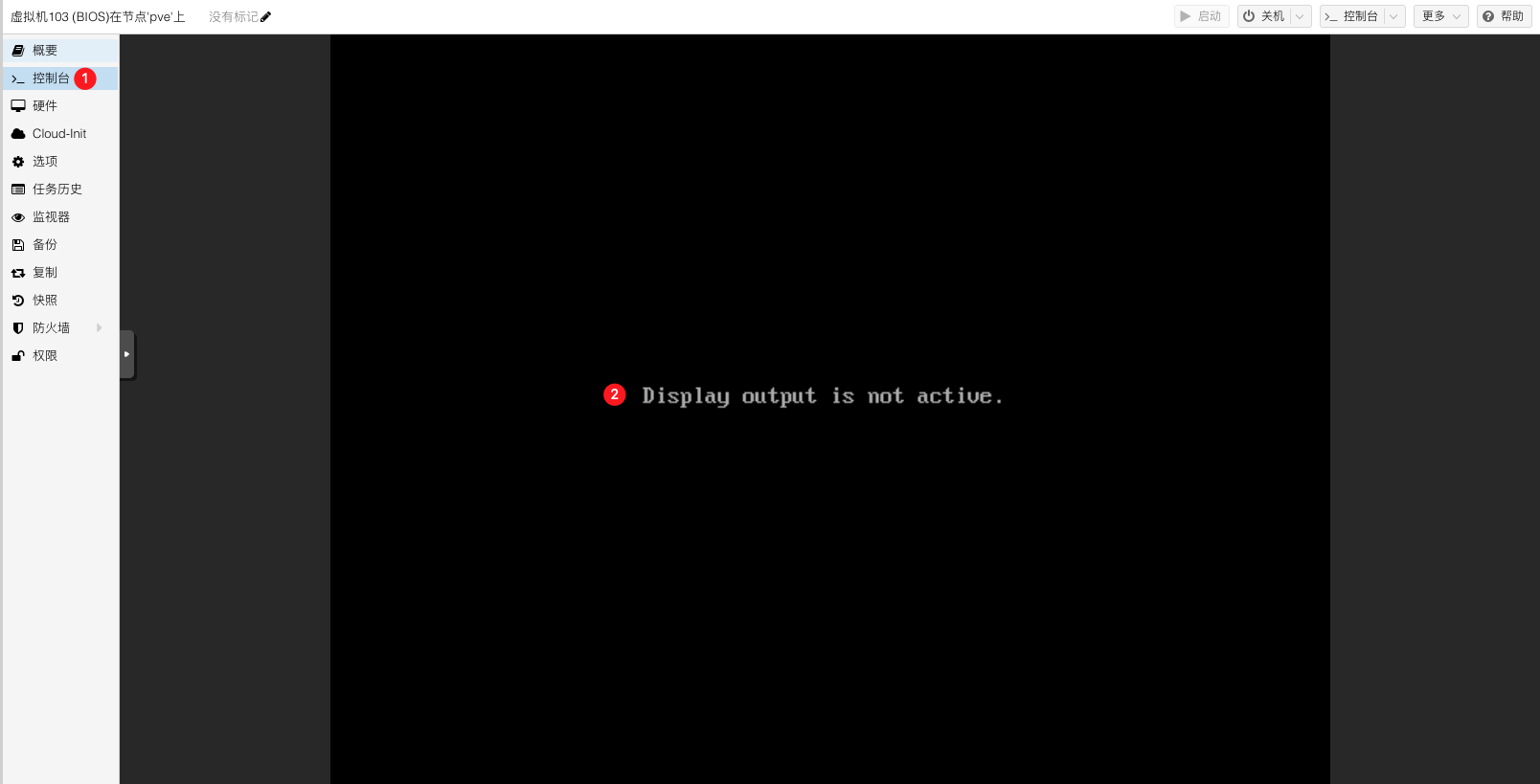
在国产信创服务器(鲲鹏 920 芯片)上部署 Proxmox VE 时遇到问题:创建虚拟机并启动后,控制台提示 Display output is not active,无法正常进入系统安装界面。
Proxmox arm64【Display output is not active】#
环境信息#
虚拟机创建时使用默认配置:
- 虚拟机系统:Proxmox VE 8.1
- CPU: aarch64
- BIOS: SeaBIOS
- SCSI控制器: VirtIO SCSI
- 网络设备: virtio
分析故障#
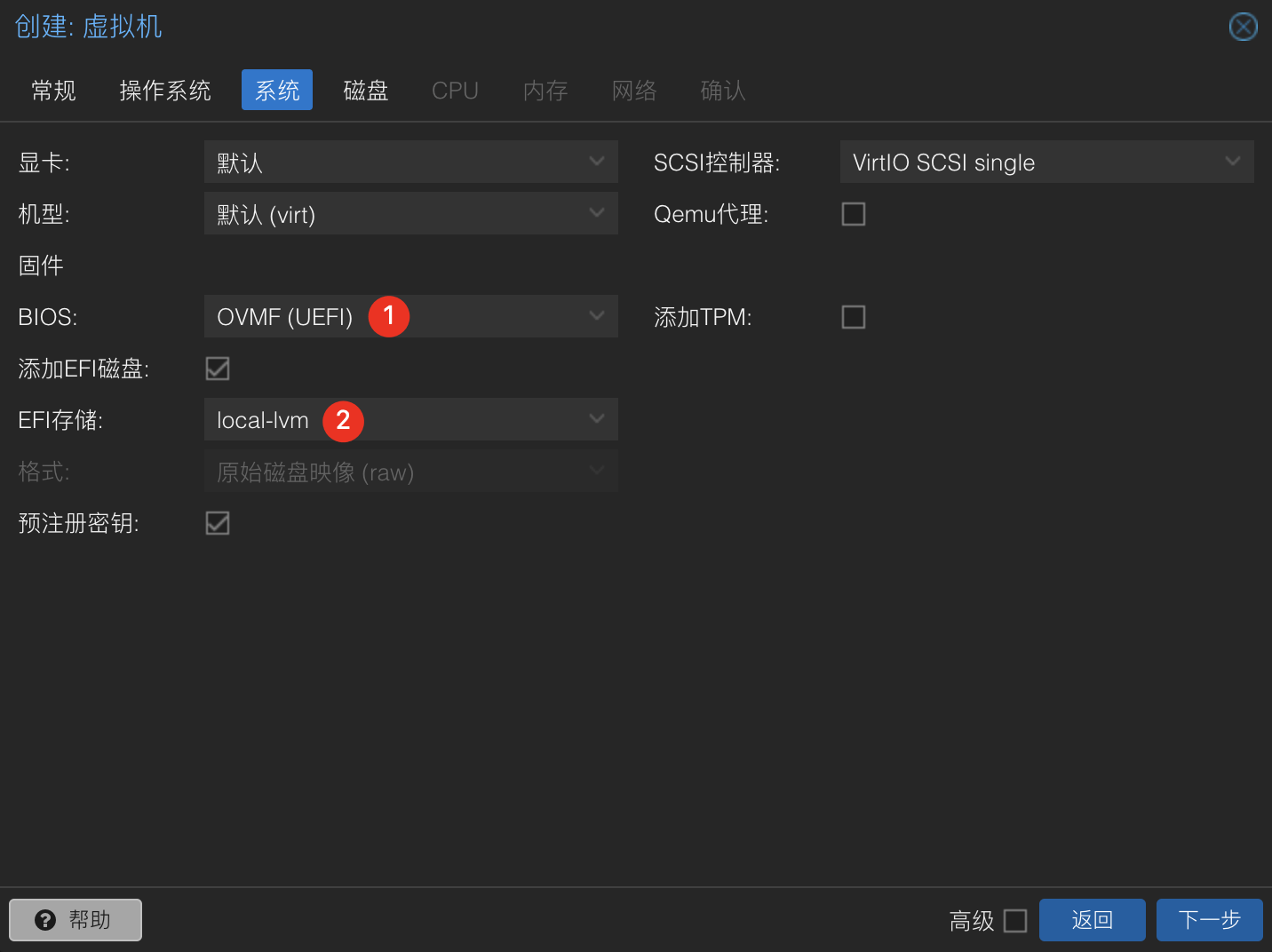
初步判断为 BIOS 引导方式不兼容导致启动异常,尝试将引导方式切换为 UEFI。
问题处理#
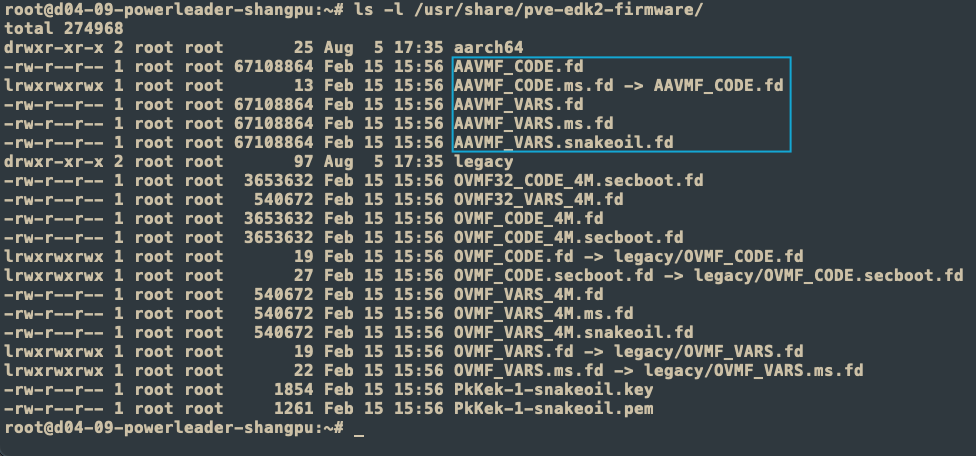
- 检查是否已安装 UEFI 固件
# AAVMF_CODE.ms.fd
ls -l /usr/share/pve-edk2-firmware
- 安装 UEFI 固件(如未安装)
# 更新APT
apt update
# 安装pve-edk2-firmware-aarch64
apt install pve-edk2-firmware-aarch64
- 查看是否安装成功
- 创建虚拟机,BIOS配置
- 打开虚拟机电源,正常进入系统引导
Virtual Machines
The pve-edk2-firmware package, which provides (U)EFI firmware for virtual machines, has been split up in multiple packages. Users of the fully supported amd64/x86_64 architectures do not need to change anything.
The OVMF variants, used for amd64/x86_64 based virtual machines, got moved into pve-edk2-firmware-ovmf and pve-edk2-firmware-legacy, these will always be installed automatically on upgrade.
The AAVMF variants, used for the experimental ARM64 VM integration, have been moved to pve-edk2-firmware-aarch64, this package won’t be automatically installed on upgrade, if you rely on the experimental ARM integration you need to manually install this package.
With the 8.1 machine version, QEMU switched to using SMBIOS 3.0 by default, utilizing a 64-bit entry point. Since the SMBIOS 32-bit and 64-bit entry points can coexist, and most modern operating systems set up both, the general impact should be minimal
However, certain operating systems or appliances, such as Juniper’s vSRX, do not have a 64-bit entry point set up and might fail to boot with the new machine type.
For affected VMs, you can explicitly pin the machine version to 8.0 in the web interface. Note that the machine version of VMs with a Windows OS type is automatically pinned to the most recent version at the time of creation.
参考文档:
- https://github.com/ophub/amlogic-s9xxx-armbian/issues/2180
- https://pve.proxmox.com/wiki/Roadmap#8.1-known-issues